Budget pools
Group cards into pools per department, project, or category. Everyone sees the same remaining balance in real time.
In Divvy — now BILL Spend & Expense — every transaction arrives with its receipt, category, and approval status already attached. This guide shows the full pipeline: capture, coding, approval, and close.
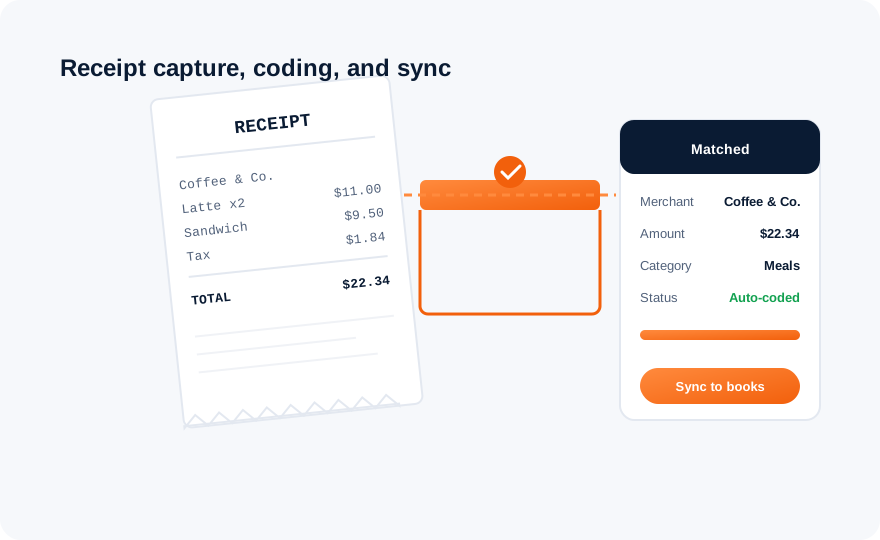
Four stages run automatically for every transaction. Humans only appear where judgment is actually needed.
The employee photographs the receipt in the mobile app — or forwards an email receipt. OCR reads the merchant, date, and amount.
The receipt is matched to the exact card transaction by amount and merchant. No more orphaned receipts or unexplained charges.
The platform proposes the ledger account and category based on merchant history and your rules. One tap confirms; corrections train future suggestions.
Coded transactions flow to QuickBooks, NetSuite, or your connected system with receipts attached — continuously, not at month end.

Approvals should be reserved for judgment calls. The rules engine handles the rest.
Rule of thumb: if more than 20% of transactions require manual approval, your limits are probably set too low — raise them and let the engine work.
Group cards into pools per department, project, or category. Everyone sees the same remaining balance in real time.
Get notified at 80% and 100% of any pool — before the overspend happens, not when the invoice arrives.
Burn rates by pool make next quarter's budget a calculation instead of an argument.
Because capture, coding, and sync happen continuously, month-end becomes verification instead of construction:
Receipts, approvals, and card controls live in the app your employees already carry.